1 "TAKE NO AS A QUESTION "

Wednesday, 30 October 2013

Google+ fires up its photo features


Google+ fires up its photo features

The company announces a bevy of photography upgrades, including improved tools for photo editing and search.

Google introduced new photography features for Google+ on Tuesday.
SAN FRANCISCO -- Google's social network might not have the fire power the company would like, especially now that Facebook has gone public and Twitter is on its way to doing so. But Google+ has steady footing in some sets. Shutterbugs, in particular, have embraced the service and on Tuesday Google doubled down on these users, adding a bevy of photography tools.
The company gathered press and attendees to NWBLK, a warehouse here that had been transformed into a gallery, with vibrant photos hanging on the walls taken by Google+ users.

"We are not building a service for lightweight sharing," said Vic Gundotra, senior vice president of engineering at Google. He added that the service is "revolutionizing the field of photography." The new features include new algorithms that let users search more easily through big dumps of photos and better back up photo files. With the app Snapseed, users can add HDR filters that automatically fix and brighten photos in low light. The company also introduced Auto Awesome Movie, a live video version of its photo editing feature, that lets users create quick films by stringing together movie clips. The software adds background music and filters. Google also improved its Hangout feature, adding things like location sharing and support for animated GIFs.
Gundorta also announced that Google+ has 300 million "in-stream" users -- or people who actively view the main news page or feed -- and that 1.5 billion photos are uploaded each week on the service.
Google's game plan has been to sprinkle Google+'s social features throughout all of the company's different services. Earlier this month, the company announced an initiative that would allow it to use people's Google+ photos and comments, as well as other data culled from Google's ecosystem, in advertisements.
Appealing to photographers is in line with what Google has already been trying to do with its social network. The company has also targeted writers and other content creators, using information from their Google+ profiles to tie them them to their work when they are searched online.

Hi guys If u like this post please leave a comment in comment box... comment box will top right of every post and bottom of every post. its useful for me give a better information.. if u want to give any suggestion in bottom of blog there is contact information option please leave a msgs with u r mail id sure i will get u.


Nintendo cracks open door to smartphones, tablets


Nintendo cracks open door to smartphones, tablets -- sort of

President Reggie Fils-Aime breaks from his usual no-mobile shtick and shares with CNET how Nintendo uses smartphones and tablets to build buzz.
Nintendo President Reggie Fils-Aime at the CNET offices in New York.
(Credit: Sarah Tew/CNET)
The latest "Super Mario" or "Zelda" title may never end up on a smartphone or a tablet, but that doesn't mean Nintendo isn't thinking about ways to extend its presence to mobile devices.
"We're constantly thinking about how to leverage mobile as a marketing vehicle," Nintendo President Reggie Fils-Aime said on Tuesday during a meeting with CNET editors. "How do I give little tastes of content, little experiences that then drive the consumer back to my hardware environment?"
Despite the tease of bringing "experiences" to mobile devices, Fils-Aime didn't provide additional details beyond noting that its Miiverse service can be accessed by tablets and smartphones. And while it isn't exactly an Earth-shattering revelation, the comments represent a rare moment when Nintendo and Fils-Aime concede that it needs to somehow better take advantage of the growing phenomenon of smartphone and tablet usage. He even prefaced the comments as "a little opening" to CNET.
Super Mario 3D World.
Nintendo has been steadfast against taking its exclusive first-party titles, with well-known characters such as Mario and Link, and making them available outside of Nintendo-made handheld and console gaming systems. The company realizes the draw of those titles and wants to ensure that the only way to play them is to keep buying Nintendo products.
The company, however, could tap into a significantly larger pool of consumers if it opened itself up to smartphones and tablets. In its last fiscal year, ending March 31, Nintendo sold 3.45 million units of its Wii U system. In the last quarter alone, Apple sold 33.8 million iPhones and 14.1 million iPads.
Of course, the ability to buy a Super Mario or Pokemon game for an Apple iPad Air or Samsung Galaxy S4 would mean overall less need for a Wii U or Nintendo 3DS, which Fils-Aime said would destroy both its hardware and third-party software businesses.
"That's why we're so focused on having content exclusive to our platform," he said. "When the consumer wants to play Mario, Zelda, and Pokemon, they have to purchase our hardware to do so. And that preserves our overall financial model."

Hands-on with the Nintendo 2DS (pictures)

1-2 of 15
Scroll Left Scroll Right
Nintendo, however, is increasingly dealing with questions about its ability to compete in this new world of gaming. Its home console, the Wii U, stumbled out of the gate, and the 3.45 million units sold in the last fiscal year was considered a disappointment. This holiday, hard-core gamers will be swept up by the launch of Microsoft's Xbox One and Sony's PlayStation 4.
The casual gamers that once flocked to the original blockbuster Wii, meanwhile, have moved on to more affordable, simpler games found on smartphones and tablets.
Fils-Aime, however, says he believes Nintendo can get its groove back through a steady stream of software launches. The arrival of "Pikmin 3" and "The Legend of Zelda: Wind Waker HD" has kicked off a number of high-profile title launches in the near future: "Super Mario 3D" on November 22 and "Donkey Kong Country: Tropical Freeze," "Mario Kart 8," and "Super Smash Brothers" for Wii U coming next year.
"In the end, the consumer wants to be entertained. They want to play great software, and we feel very good about the plethora of software behind our platforms," he said.
It's the standard pitch: Nintendo is relying on the strength of its first-party titles to carry it through during the busy holiday season.


Secondly, Nintendo will stress the value of the Wii U, which dropped its "deluxe" bundle price to $300 in late August, Fils-Aime said. The price of the system, which is a year old at this point, is $100 less than the PlayStation 4 and $200 less than the Xbox One.
Fils-Aime also said that Microsoft and Sony would likely face limited supplies during the holiday season for their next-generation consoles, hinting that Nintendo hopes to fill the gap. He downplayed their threat, insisting he was more focused on what Nintendo was doing.
The Nintendo veteran also touted the success of the Nintendo 3DS handheld gaming device, which he said amounted to an annual $1 billion business in the US when counting hardware, software, and accessories. Nintendo will launch an exclusive Zelda bundle, complete with gold 3DS, as part of the launch of "The Legend of Zelda: A Link Between Worlds."
Fils-Aime also talked a little about the Wii U's media capabilities, noting that the company would continue to update Nintendo TV.
"It's going to be a viable, ongoing piece of our platform," he said.
But unlike Microsoft, which positions its Xbox One as more of a media hub, Fils-Aime insisted Nintendo wouldn't stray too far from its core business.
"Our proposition is on the backs of games," he said. "That's how we see driving the business going forward."

Hi guys If u like this post please leave a comment in comment box... comment box will top right of every post and bottom of every post. its useful for me give a better information.. if u want to give any suggestion in bottom of blog there is contact information option please leave a msgs with u r mail id sure i will get u.


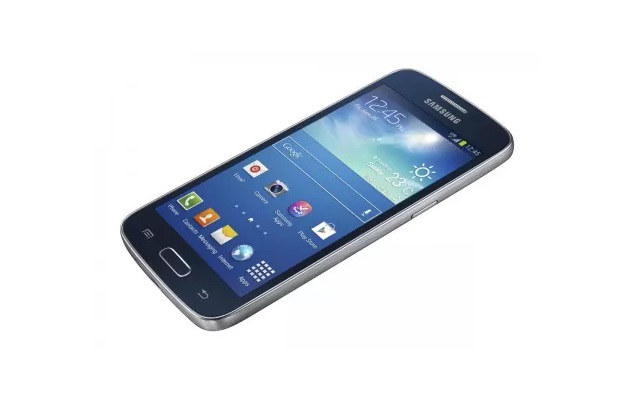
Samsung Galaxy Express 2 with 4.5-inch qHD display launched


Samsung Galaxy Express 2 with 4.5-inch qHD display launched

galaxy-express-2-1-big.jpg

Samsung has introduced a new Galaxy smartphone in its line-up, the Galaxy Express 2. The South Korean major's latest Galaxy device will be heading to Vodafone UK. However, the company has not announced the pricing of the device, and neither has it revealed whether the device will be headed to other countries or carriers.The Samsung Galaxy Express 2 comes with 4.5-inch qHD display with a 540x960 pixels resolution. The new Galaxy smartphone runs Android 4.2 Jelly Bean. It is powered by 1.7GHz dual-core processor (unspecified chipset) along with 1.5GB of RAM. The smartphone measures 132.4x65.7x9.8mm and comes with NFC and LTE support. It includes 8GB of inbuilt storage and also comes with microSD card support. The Samsung Galaxy Express 2 will be available in two colour variants - Ceramic White and Rigel Blue.
The Galaxy Express 2 also comes with host of Samsung apps such as Smart Stay, that uses facial recognition to detect when the phone is in use, as well as Group Play which allows you to share music, documents and photos with other compatible Samsung devices. In addition, the new handset also features S Travel, Story Album and S Translator making Samsung's latest device the perfect travel companion.
Commenting on the launch, Simon Stanford, Vice President of IT & Mobile Division, Samsung Electronics UK & Ireland said, "Our latest addition to the Galaxy portfolio, the Galaxy Express 2 has been designed to provide a faster and smoother user experience. As with all smartphones in our Galaxy range, the Galaxy Express 2 is packed full of intuitive features and smart functions, offering customers superior performance."

Mobiles launched in October 2013

Samsung Galaxy Express 2 key specifications
  • 4.5-inch qHD display with a 540x960 pixels resolution
  • 1.7GHz dual core processor (unspecified chipset)
  • 1.5GB of RAM
  • 8GB of inbuilt storage, comes with microSD card support
  • Android 4.2 Jelly Bean
  • NFC and LTE support


Hi guys If u like this post please leave a comment in comment box... comment box will top right of every post and bottom of every post. its useful for me give a better information.. if u want to give any suggestion in bottom of blog there is contact information option please leave a msgs with u r mail id sure i will get u.


Micromax Canvas Tab P650 review


Micromax Canvas Tab P650 review

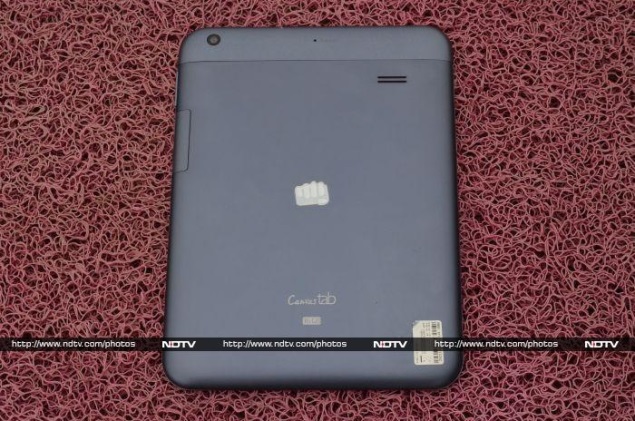
Micromax-Canvas-Tab-rear-panel.jpg

One of the most remarkable trends in the Indian tablet industry over the past year has been the rise of the budget segment of tablets. Micromax is one of the major players in this segment, and can take credit for kick-starting the demand with its Funbook tablet, which claimed to combine entertainment with education.

Micromax's Canvas Tab P650 is a tablet with 8-inch display, a segment which has been dominated by Apple and Samsung for quite some time now. But can the Micromax Canvas Tab, the company's first 8-inch tablet and also the first flagship tablet in the Canvas series, repeat the success of the first Funbook, and get ahead of the competition? We try to find out in our review.
Design/ Build
The Micromax Canvas Tab is built along the lines of Micromax's high-end smartphones, like the Canvas Doodle 2. On first look, the Canvas Tab looks like a stretched out or bigger version of the Funbook tablet. However, that is only the case for the front panel of the tablet.
The front of the Canvas Tab features a broad bezel around the screen, similar to Funbook tablets, although this makes the display look a lot smaller than it actually is. It comes with a glossy screen and therefore attracts more than a fair share of fingerprints; we would recommend carrying a cloth to keep cleaning it. Apart from the screen, the tablet's front houses a 2-megapixel camera placed in one corner alongside the earpiece that sits in the centre.
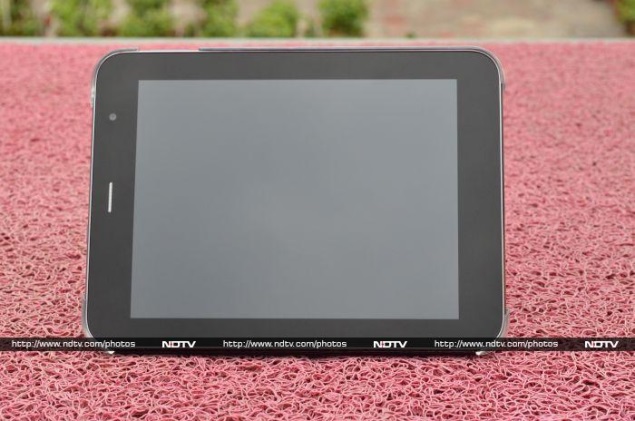
Micromax-Canvas-Tab-display.jpgThe back of the Canvas Tab has a brushed aluminium finish which gives it classy looks, with a section at the top which looks removable (The back panel cannot be detached as it has been screwed on), though is not. Micromax has got rid of the cheap plastic body and equips an aluminium body at the back, which does feel better to hold than the Funbook tablets. Lodged in the back is a 5-megapixel autofocus camera at the top left corner and the speaker grill.
The tablet's rear also houses Micromax logo branding embossed in the centre with the model name - 'Canvas Tab' along with inbuilt storage capacity printed at the bottom, something we have seen on Apple's iPad models.
At slightly over 10mm, the Canvas Tab is not the thinnest tablet we have seen but is comfortable enough to hold with both hands. In terms of weight, the tablet stands on the heavier side which is due to the aluminium back panel.
We tried to use the tablet with one hand but failed because of the squarer form-factor of the Micromax Canvas Tab, while we think using the more rectangular Samsung Galaxy Tab 3 311 (8-inch model) with one hand was much easier task than the Canvas Tab.
The Micromax Canvas Tab is available in two colour variants - Marine Blue and Pristine White, we received the former one. Physical keys on this tab comprise just the volume and power buttons - the rest of the controls are on the 8-inch tablet.
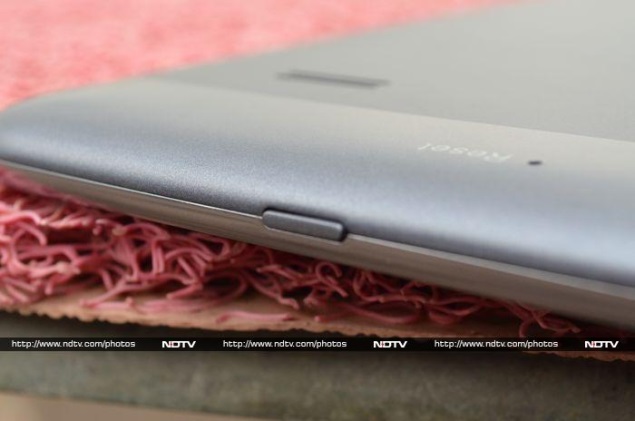
Micromax-Canvas-Tab-power-button.jpgWe have been using the Canvas Tab for quite some time now, but still have not been used to the odd positioning of the power button on the top, and the awkwardly small volume toggle on the right side. Often, we ended up pressing the volume rocker keys to unlock the tablet and at times while watching videos we struggled to adjust the volumes. The power key is on the top panel of the tablet almost above the earpiece grill, which we feel was very inconvenient for right-handed individuals. The 8-inch form factor sometimes feels too big for reaching out to the power button.
There is 3.5mm audio jack and Micro-USB port sitting at the top of the Canvas Tab, while the left side is bare. Just below the volume rocker buttons is a flap which is removable and reveals the SIM card and microSD card slot.
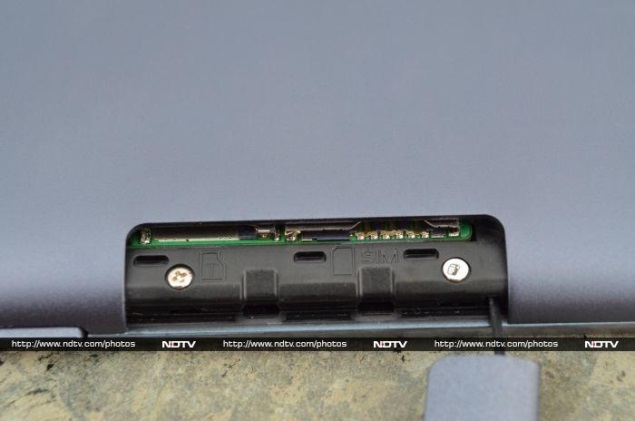
Micromax-Canvas-Tab-removable-flap.jpgThe flap covering the two slots is connected by a rubber material which doesn't look durable to survive in long run. The company has chosen regular SIM for the Canvas Tab, instead of the smaller forms (micro-SIM / mini-SIM). We also felt the Canvas Tab to be a bit too heavy, with a weight of 425 grams in this form factor, more than a hundred grams heavier than iPad mini and Galaxy Tab 3 211.
Display
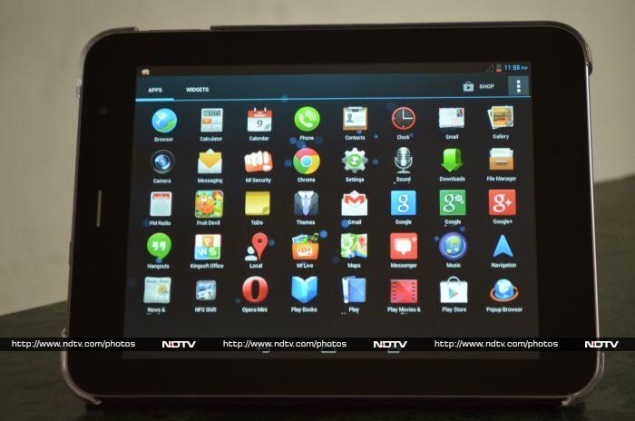
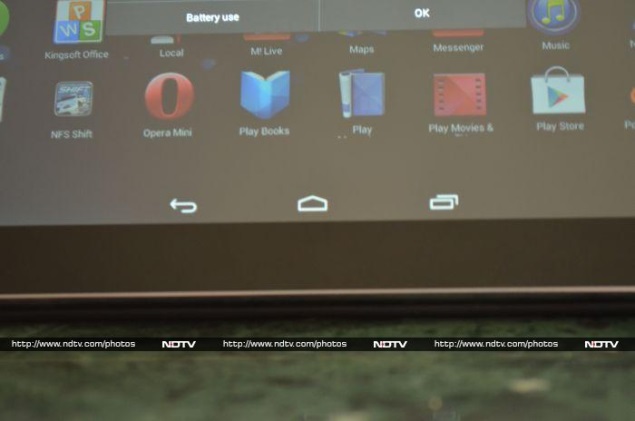
Micromax-Canvas-Tab-apps-menu.jpgThe Micromax Canvas Tab comes with an 8-inch IPS display with a resolution of 1024x768 pixels, which translates to a pixel density of 160ppi (pixels per inch). The display resolution of the Canvas Tab is comparable to Apple iPad mini (1024x768) but lower than some of the 7-inch tablets which are available at lower prices, such as the Nexus 7 (2012) and Kindle Fire HD, which have a resolution of 1280x800 pixels.
The Micromax Canvas Tab's display is crisp enough to make reading comfortable and we enjoyed watching video on the bright display thanks to the accurate colour reproduction, and deep blacks.
The Canvas Tab supports wide-viewing angles which mean users are not required to hold it in an exact sweet spot for the best viewing experience. This also means playing games that utilize the accelerometer won't get spoiled by occluded views and distorted colours. However, we noticed that the screen is very reflective and this hampers visibility under the sunlight.
The touch sensitivity of the Micromax Canvas Tab is decent and we did not encounter any issues while using the tablet. But considering the price of the new Micromax's tablet, we expected that company could have gone for a better display panel with higher resolution.
Camera
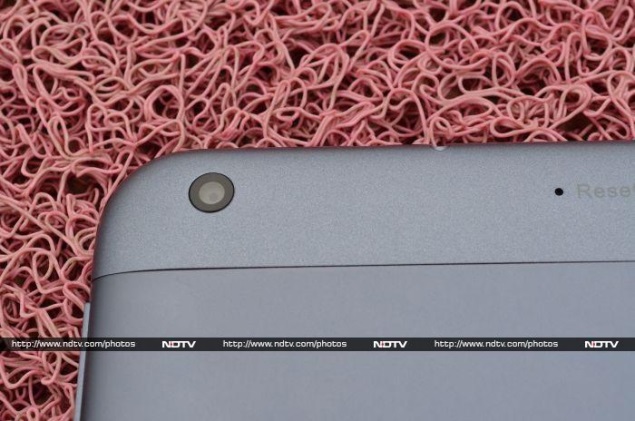
Micromax-Canvas-Tab-rear-camera.jpgThe Micromax Canvas Tab comes with dual cameras - 5-megapixel rear autofocus camera and a 2-megapixel front-facing camera.
The rear camera takes decent pictures in well-lit conditions. We tested the Canvas Tab's rear camera in outdoor, dim and indoor environments and found that pictures were a bit washed out and grainy at edges. There is a little bit of lag between pressing the button and the actual shutter release, making it hard take pictures in a pinch.

Micromax-Canvas-Tab-camera-sample1.jpgHowever, we must confess that Canvas Tab's rear camera is a little above the average tablet camera and gets a significant boost from a good camera app, which is another element that is familiar to Micromax's Canvas series smartphones. The tablet's camera app comes with same layout and much of the same functionality as seen already on the Micromax Canvas 4 smartphone and Micromax Canvas Doodle 2 phablet. Notably, there's no flash on the Canvas Tab.

Micromax-Canvas-Tab-camera-sample2.jpgWith the Micromax Canvas Tab's camera app, users can choose from a host of camera settings like Normal, HDR, Face Beauty, Smile detection, Exposure compensation, Panorama, Photosphere (multi-angle view) modes. It also offers a burst mode, letting users click 40 to 99 shots at once; users just need to long-press the camera soft key on the display to take burst shot.
The Canvas Tab is capable of recording video at 768x1024 pixels and the preloaded camera app also has the option of adding filters to the clicked images as well. The front facing 2-megapixel camera is pretty average and can be used for video calls over Skype or self-portrait shots.
Software/ Interface
The Micromax Canvas Tab runs Android 4.2.1 Jelly Bean, which is a very recent version of the OS and comes with some minor software tweaks like the app icons.
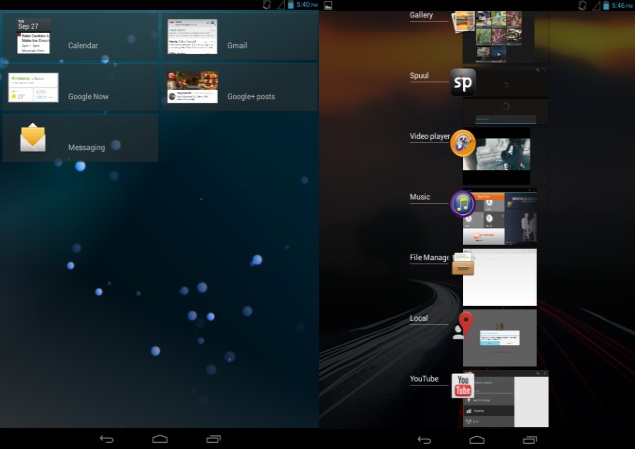
Micromax-Canvas-Tab-screenshot-1.jpgLikewise, Micromax has skinned some UI elements of the operating system on the Canvas Tab and offers four themes that come with different icon sets. Even the default theme on the tablet that offers stock icons has undergone some minor tweaks with Micromax choosing a squared icon look instead of the plain that is being offered on stock Android. However, we must confess that the changes are not as radical as HTC's Sense UI or Samsung's TouchWiz but adds a few neat touches to the OS without intruding too much on its essence.
Some might consider that with Android 4.4 KitKat around the corner, the fact that the Canvas Tab still runs Android 4.2.1 is a let-down. However, we really do not mind a smoothly running Android 4.2 tablet and the Canvas Tab is that. Another fact is that in India it might take a while for smartphones and tablets based on Android platform start running on the latest released OS version, except the Nexus range of devices. The OS update will take some time to reach domestic OEMs.
Micromax-Canvas-Tab-screenshot-notification.jpgOne can get lock-screen widgets on the Canvas Tab, which is an Android 4.2 feature. For unlocking the device one can choose from the clock, camera, Gmail, Google Now, messaging and additionally widgets offered by third-party apps installed on the tablet. This Android 4.2 Jelly Bean feature enables users to perform certain app actions even when the device is locked. One can also launch the camera direct from the lock screen by pressing the power button and then swiping screen on the right.
Much like Micromax's Canvas 4 and Canvas Doodle 2, the Canvas Tab also comes with FOTA (firmware over the air ) feature that allows to wirelessly downloading firmware updates directly to the device. There are five customizable homescreens - a very standard Android affair.
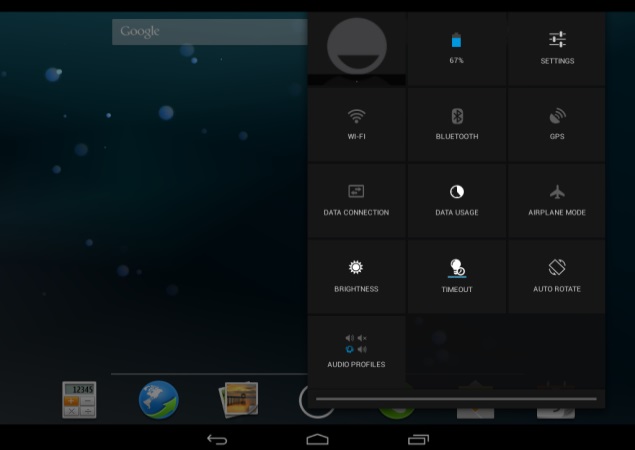
There are shortcuts for calculator, native browser, gallery, menu, dialler, messages and calendar on the homescreen of the Canvas Tab. Similar to other Android 4.2 Jelly Bean-based devices, the notifications tray on the tablet features settings shortcut and a clear all button. However, the Canvas Tab much like other Android 4.2 tablets come with two separate notification trays - one with Quick settings and other with email, messages, and other alerts.
On expanding the Quick Settings notification tray one can find options for quick access to the profile, battery status, settings shortcut, Wi-Fi, Bluetooth, GPS, data connectivity, data usage status, airplane mode, brightness, screen timeout, auto rotate and audio profiles (for alerts and other notifications).
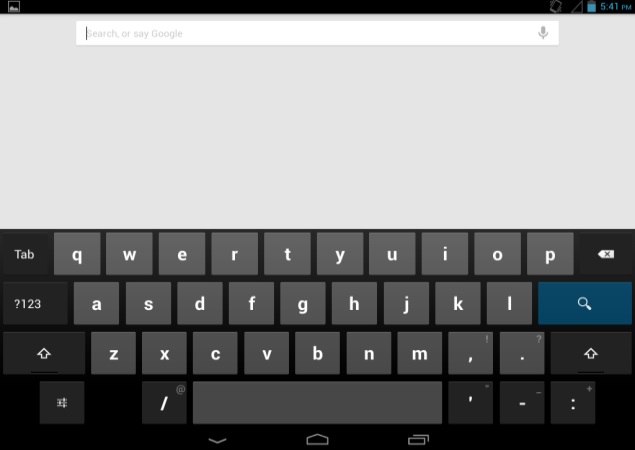
Micromax-Canvas-Tab-screenshot-keyboard.jpgThe Micromax Canvas Tab also features Google Now, an Android 4.2 feature which is a voice-based information assistant and an extension of Google search. It uses cards which are essentially small boxes that offer different sets of information like weather forecast, directions, traffic information, scores, appointments and currency conversion etc.
The Micromax Canvas Tab comes preloaded with a number of apps such as Spuul, which can stream movies and television shows; Kingsoft Office Suite, for creating and editing Office files, and M! Security, which is powered by NQ Mobile for warding off virus and malware attacks. However, the M! Security app is not completely free and users need to pay for using the premium features of the app. Also on board in the tablet is M! Live that gives access to download music, videos, games and apps from M! Live store.
The Canvas Tab's native music player and the video player are the same as seen on the Canvas 4 and Canvas Doodle 2. The music player UI is a complete revamp with access to company's online music store, while the video player comes with the 'Pause on Look away' feature that detects when you are looking at the screen and stops the video when it does not detect user's face.
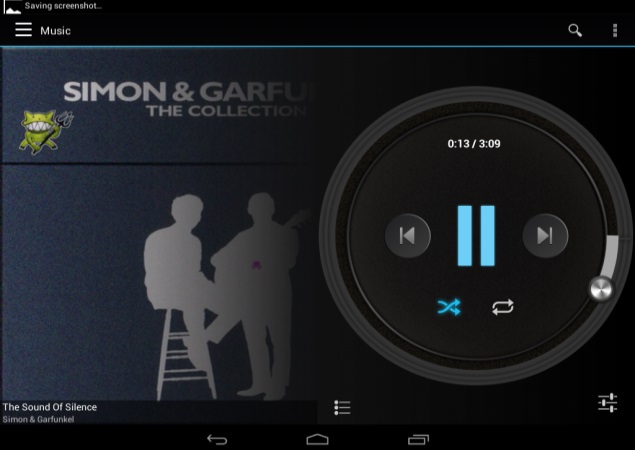
Micromax-Canvas-Tab-screenshot-music-player.jpgThe Canvas Tab also comes preloaded with host of Google apps such as Gmail, Google Search, Google+, Hangouts, Google Maps, Play Books, Play Movies and TV, Play Store and YouTube. There is FM radio support on the tablet as well.
Performance/ Battery Life
The Micromax Canvas Tab is powered by a quad-core 1.2GHz MediaTek 8389 processor. It has 1GB of RAM onboard, and comes with 16GB of inbuilt storage, out of which only 11.07GB is user-accessible and also supports expandable storage up to 32GB via microSD card.
Considering there is a fairly respectable quad-core processor running under the hood, the Micromax Canvas Tab manages to chug along just fine. In day-to-day activities the tablet feels smooth enough and you are not really left wanting for more power. However, we did notice some minor lag especially while switching from portrait to landscape mode but other than that we were able to play tablet-optimised games and HD video clips, without barely any hiccups.
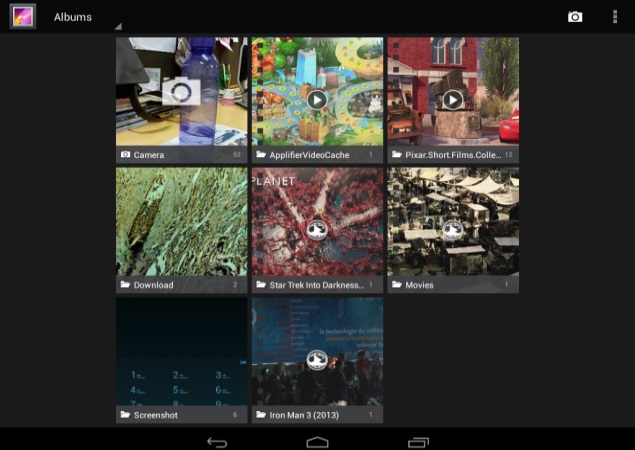
Micromax-Canvas-Tab-screenshot-gallery.jpgThe 8-inch IPS display is good for viewing movies and videos. The Canvas Tab was able to play full-HD videos and supported popular video formats like .AVI, .MOV, .MKV and .MP4. The speakers on the Canvas Tab deliver average sound that distorts a bit at high volume levels and overall the output through the speaker grill was not very loud as well.
The Micromax Canvas Tab comes with single-SIM support (as we mentioned earlier, using the regular SIM size) and also offers voice-calling abilities, apart from 3G data connectivity. However, we felt that the Canvas Tab was too big to make phone calls with and was almost impossible to use as a smartphone while making calls. We preferred not to put the tablet next to our face, but instead used supplied earphones. We confess that the calling abilities in the tablet do give it an advantage compared to other tablets in the same price segment without the feature.
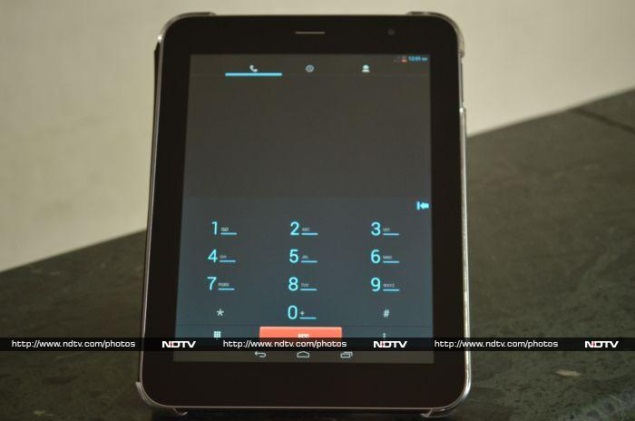
Micromax-Canvas-Tab-calling-feature.jpgThe Canvas Tab is smooth and speedy when opening apps, swiping around the interface, and playing games like Temple Run 2 with rich graphics quality. The onscreen keyboard's keys are not cramped and users can hit them easily.
Micromax-Canvas-Tab-capacitive-keys.jpgThe Micromax Canvas Tab ships with a 4800mAh battery that according to the company can deliver up to 10 hours of talktime and up to 400 hours of standby time. Based on our usage, we see the tablet does delivers satisfying battery performance.
With medium to heavy usage (leaving brightness on Auto) on the Micromax Canvas Tab, we were able to get more than a day before needing to charge the device. The 4800mAh battery lasted around 6 hours watching HD videos before getting down under 20 percent with the brightness set to auto.
With Wi-Fi turned on for all time and using the tablet for Web browsing for an hour, a few calls lasting for not more than an hour, display set on auto-brightness and with the usual notifications for messages, emails, Facebook, and WhatsApp, the device lasted for about 16 to 18 hours which is decent time for a tablet of this size. One might get more battery backup depending on the usage, and also by adjusting settings (brightness, Wi-Fi, data).
Verdict
The Micromax Canvas Tab has been launched at Rs. 16,500 which is a bit pricey. However, we admit that the Canvas Tab is definitely a step up in terms of build quality, performance and connectivity, if compared to Funbook tablet models.
At this price, the 3G-enabled Canvas Tab squares off against the Samsung Galaxy tablets - the Galaxy Tab 3 211 priced at Rs. 17,100, which comes with 7-inch display and voice-calling features, and the Galaxy Tab 3 310 priced at Rs. 21,000, which is a Wi-Fi variant and comes with 8-inch display, and misses out on the calling abilities.
The larger display doesn't really give the Canvas Tab much of an advantage over the Galaxy Tab 3 211, and single-handed operating is not too easy with the square form factor. There unfortunately aren't too many options available for you to choose from in the market, with older-generation offerings like the iberry Auxus Core X4 3G, which features dated Android version, or lower-specced devices like Galaxy Tab 3 211.
If you are comfortable with the weight and the form factor, and want the quad-core performance and recent OS iteration, the Canvas Tab P650 is not a bad option.
Price: Rs. 16,500
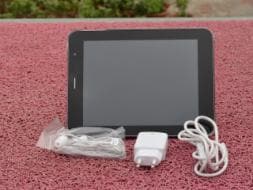
Micromax Canvas Tab P650 in pictures

Pros
  • Solid build
  • Good display
  • Voice-calling
  • Decent battery backup
Cons
  • A bit heavy for daily use
  • Speakers not very loud
  • A little pricey
Ratings (Out of 5)
  • Design: 3.5
  • Display: 3.5
  • Camera: 3
  • Performance: 3
  • Software: 3
  • Battery Life: 3.5
  • Value for Money: 3
  • Overall: 3


Hi guys If u like this post please leave a comment in comment box... comment box will top right of every post and bottom of every post. its useful for me give a better information.. if u want to give any suggestion in bottom of blog there is contact information option please leave a msgs with u r mail id sure i will get u.


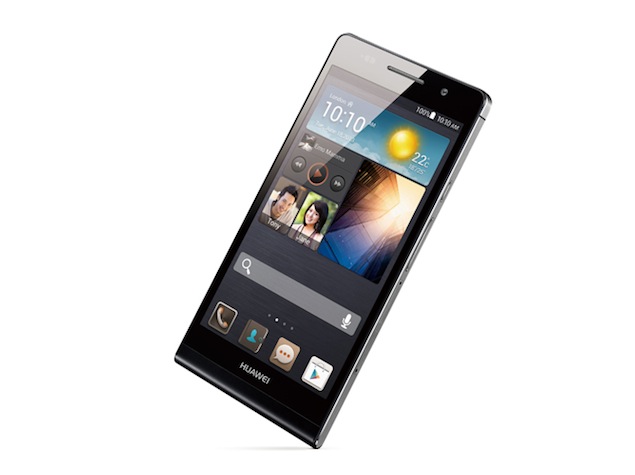
Huawei Ascend P6 with 4.7-inch HD display launched at Rs. 29,999

Huawei Ascend P6 with 4.7-inch HD display launched at Rs. 29,999

huawei_ascend_p6.jpg

Huawei's new smartphone, the Ascend P6, has been launched for the Indian market, at Rs. 29,999. The device was listed online in the fourth week of October on an ecommerce website for a discounted price of Rs. 25,750. Huawei first unveiled the Ascend P6 back in June this year.
The Huawei Ascend P6 is called the slimmest smartphone in the world by the company, and measures in at 6.2mm, while weighing 120 grams. The smartphone comes in Black, Pink and White colours. It features a 4.7-inch LCD display that has a resolution of 720x1280 pixels. It's powered by the company's in-house chipset, the Huawei K3V2 quad-core processor, clocked at 1.5GHz and coupled with 2GB of RAM.
The Ascend P6 includes an 8-megapixel rear camera with a BSI sensor, capable of recording 1080p HD video, apart from a 5-megapixel front-facing camera. It runs Android 4.2.2 Jelly Bean and features Huawei's Emotion UI 1.6 OS layer on top. It offers 8GB of inbuilt storage expandable up to 32GB via microSD card and has a 2000 mAh battery.
On Wednesday, two of Huawei's recently launched Android phablets, the Ascend G610 and Ascend G700, also made it to the Indian market via an online retailer. The Huawei Ascend G610 and Huawei Ascend G700 have been listed at Infibeam for Rs. 12,499 and Rs. 16,500 respectively. The Chinese major had unveiled both the devices back in September this year, at an event in Taiwan.

Mobiles launched in October 2013

Huawei Ascend P6 key specifications
  • 4.7-inch HD in-cell LCD screen with a resolution of 720x1280 pixels
  • 1.5GHz quad-core Processor
  • 2GB RAM
  • 8GB Internal storage expandable via microSD card
  • Dual-SIM with dual-standby support
  • 8-megapixel rear camera
  • 5-megapixel front facing camera
  • 2000mAh battery
  • Android 4.2.2 Jelly Bean with Emotion UI


Hi guys If u like this post please leave a comment in comment box... comment box will top right of every post and bottom of every post. its useful for me give a better information.. if u want to give any suggestion in bottom of blog there is contact information option please leave a msgs with u r mail id sure i will get u.


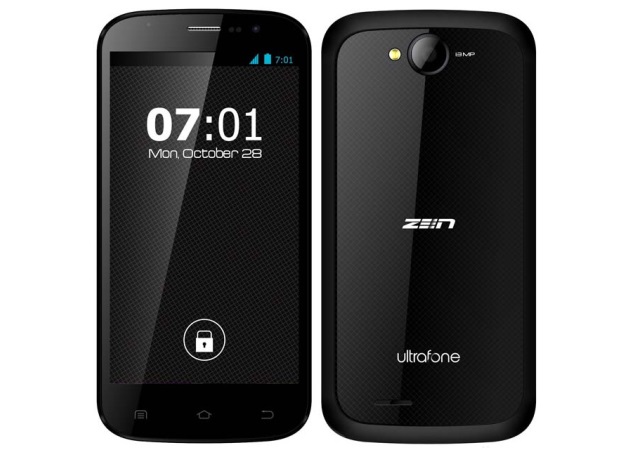
Zen Ultrafone Amaze 701 FHD with 5-inch full-HD display launched at Rs. 17,999


Zen Ultrafone Amaze 701 FHD with 5-inch full-HD display launched at Rs. 17,999

zen-ultrafone-amaze-701-fhd-big.jpg

Zen Mobile has launched the successor to the Ultrafone 701HD, the Ultrafone Amaze 701 FHD, at Rs. 17,999. The Zen Ultrafone Amaze 701 FHD is the first smartphone from the company sporting a full-HD display.The Zen Ultrafone Amaze 701 FHD features a 5-inch full-HD (1080x1920 pixel) IPS OGS display and boasts of Corning Gorilla Glass 2. The smartphone is powered by 1.5GHz quad-core Turbo processor (presumably the MediaTek MT6589T chipset) along with 1GB of RAM. It runs on Android 4.2.1 Jelly Bean, and supports dual-SIM (GSM+GSM) with dual standby. The Ultrafone Amaze 701FHD features a 13-megapixel autofocus rear camera with LED flash with full-HD recording abilities. It also houses an 8-megapixel front-facing camera. It comes with 16GB of inbuilt storage which is further expandable up to 64GB with microSD card, and packs a 2050mAh battery. Connectivity options on the Ultrafone Amaze include Bluetooth, Wi-Fi, GPS/AGPS and 3G.
Commenting on the launch, Deepesh Gupta, Managing Director Zen Mobile, said, "With the Zen Ultrafone 701 FHD, we continue with our promise to bring something aspirational to this very competitive segment of smartphone market of our country. For anyone who wants to be creative, expressive and unique, Amaze is the ideal device available at the most affordable price".
Earlier this month, Zen Mobile introduced another new Android smartphone under the Ultrafone series, dubbed Ultrafone 502.
The Zen Ultrafone 502 comes with 4.5-inch qHD (540x960) IPS display and is powered by a 1.2GHz dual-core processor (unspecified chipset). The new Ultrafone smartphone from Zen runs Android 4.2.2 Jelly Bean out of the box and supports dual-SIM (GSM+GSM). It sports an 8-megapixel rear camera with LED flash and also houses a 1.3-megapixel front-facing camera. On board the Ultrafone 502, there is 4GB of inbuilt storage that is further expandable up to 32GB via microSD card. The Zen Ultrafone 502 includes 512MB of RAM, and such connectivity options as Wi-Fi, Bluetooth, GPS/ AGPS and 3G. It packs a 1700mAh battery and features a host of sensors like ambient light, G-sensor and proximity sensor.

Mobiles launched in October 2013

Zen Ultrafone Amaze 701 FHD key specifications
  • 5-inch full-HD (1080x1920) IPS OGS display
  • 1.5GHz quad-core processor
  • 1GB RAM
  • Android 4.2.1 Jelly Bean
  • 13-megapixel autofocus rear camera with LED flash
  • 8-megapixel front-facing camera
  • 16GB of inbuilt storage, expandable up to 64GB with microSD card
  • Dual-SIM (GSM+GSM) with dual standby


Hi guys If u like this post please leave a comment in comment box... comment box will top right of every post and bottom of every post. its useful for me give a better information.. if u want to give any suggestion in bottom of blog there is contact information option please leave a msgs with u r mail id sure i will get u.


HTML Comment Box is loading comments...
MARUTHU Copyright@2014. Powered by Blogger.